

Whether you’re working from home, traveling frequently, or building a cleaner desktop setup, a reliable USB-C hub or docking station can make a significant difference. Modern laptops continue to become thinner, yet they often sacrifice essential ports.
That’s where MOKiN comes in.
Instead of focusing on one accessory, MOKiN offers a complete ecosystem of USB-C docking stations, hubs, GaN chargers, adapters, and portable power banks designed to simplify everyday connectivity. The brand emphasizes plug-and-play convenience, multiple display support, fast charging, and compact designs for professionals and travelers alike.
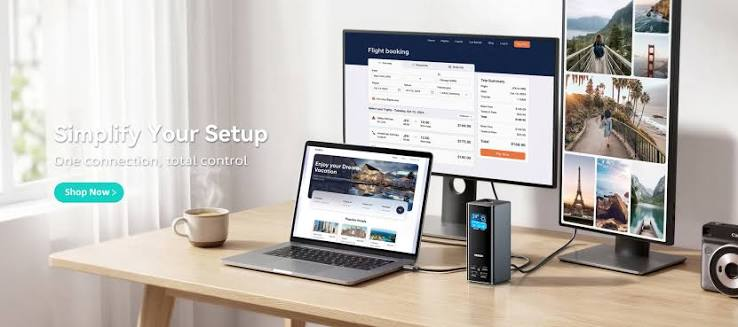
Ready to Build a Cleaner Workspace?
Before purchasing your next USB-C accessory, it’s worth comparing features and current promotions. You may find a model that perfectly matches your workflow while saving money through available deals.
Why Choose MOKiN?
One reason MOKiN stands out is its broad product lineup. Instead of manufacturing only docking stations, the company develops solutions for different work environments, including:
- USB-C hubs
- Multi-monitor docking stations
- GaN fast chargers
- Portable power banks
- MST hubs
- Video adapters
This allows users to choose products based on how they actually work rather than buying unnecessary ports or features.
Another advantage is the brand’s focus on productivity. Many docking stations combine HDMI outputs, USB ports, Ethernet, SD card readers, and Power Delivery charging into one compact device. Several newer models even include Smart LCD displays that provide charging or connection information at a glance.
Furthermore, MOKiN supports customers with a 12-month warranty, a 30-day money-back guarantee, professional customer support, and free shipping on qualifying U.S. orders.
Multi-Port Connectivity
Many MOKiN docking stations combine HDMI, DisplayPort, USB-A, USB-C, Gigabit Ethernet, SD, and microSD card readers, and audio connectivity in a single device. This reduces cable clutter while expanding laptop functionality.
High-Resolution Display Support
Several models support 4K external displays, while selected docking stations offer dual or triple monitor capability for compatible Windows systems. Users should note that macOS has different multi-display limitations depending on Apple’s operating system.
Fast Power Delivery
Most USB-C docking stations support up to 100W Power Delivery input, providing enough power for charging compatible laptops while using connected peripherals. Charging output may vary by product because the dock reserves power for its own operation.
High-Speed Data Transfer
USB ports on many models support transfer speeds up to 5Gbps or even 10Gbps, depending on the product. This makes moving large files much faster than older USB standards.
Plug-and-Play Setup
Most MOKiN hubs are designed for simple installation without additional drivers, making them convenient for remote workers, students, and business travelers.
Benefits
Using a USB-C docking station is about more than adding ports.
For many users, it creates a cleaner workspace by replacing multiple cables with a single USB-C connection. Connecting monitors, keyboards, storage devices, Ethernet, and charging through one hub makes daily setup much easier.
Another benefit is flexibility. Whether you use a laptop at home, in the office, or while traveling, one docking station allows you to reconnect your entire workstation in seconds.
Additionally, MOKiN has expanded into GaN chargers and portable power banks. These accessories help reduce the number of chargers you carry while still supporting fast charging for multiple devices.
Best Products
MOKiN 17-in-1 USB-C Docking Station
Ideal for users who need extensive connectivity, Smart LCD functionality, and support for multiple displays.
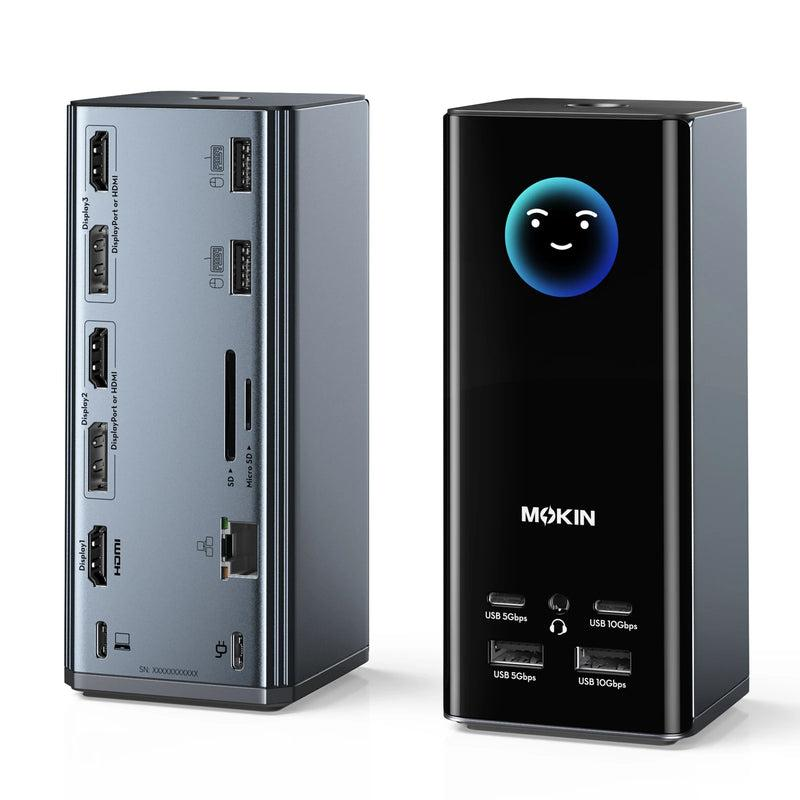
MOKiN 12-in-1 USB-C Docking Station
Designed for productivity with dual display support and Smart LCD information display.
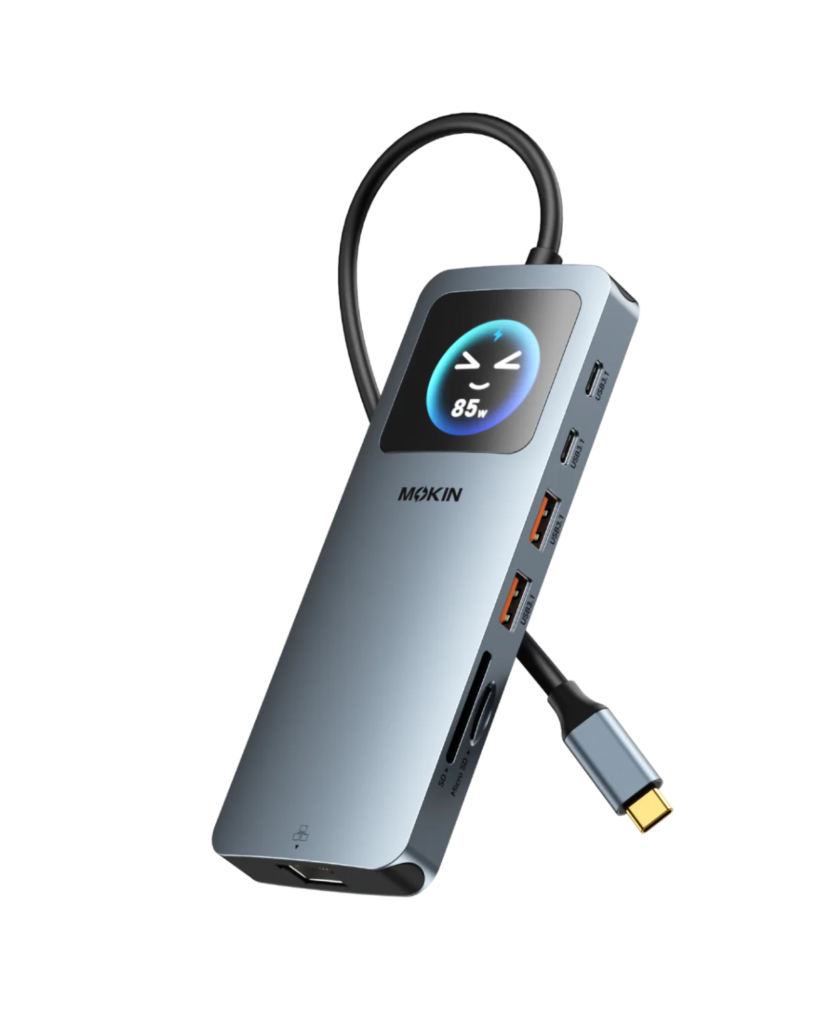
MOKiN 8-in-1 USB-C Hub
A portable option featuring HDMI, Ethernet, USB ports, and Power Delivery charging for everyday laptop users.
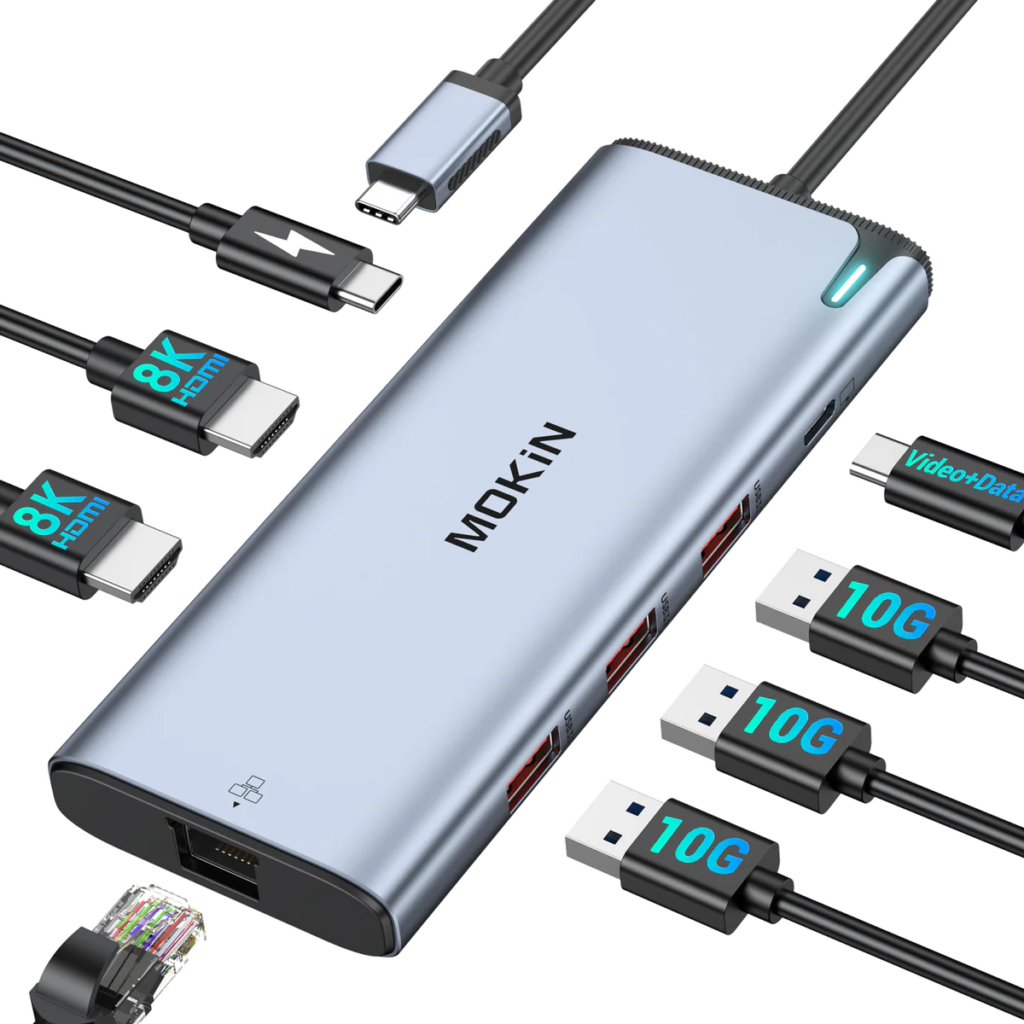
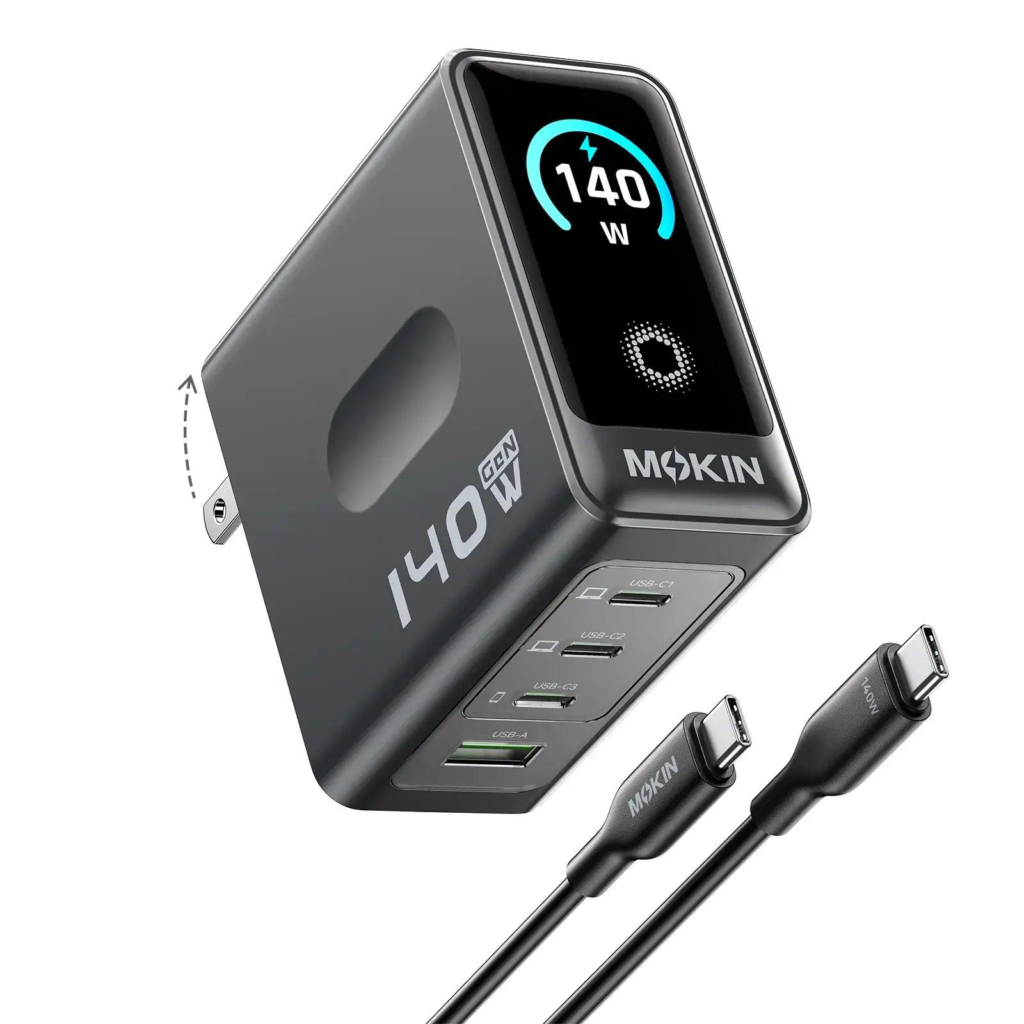
MOKiN 140W GaN Charger
A compact fast charger with multiple USB-C ports, Smart Display, and high-output charging suitable for laptops and mobile devices.
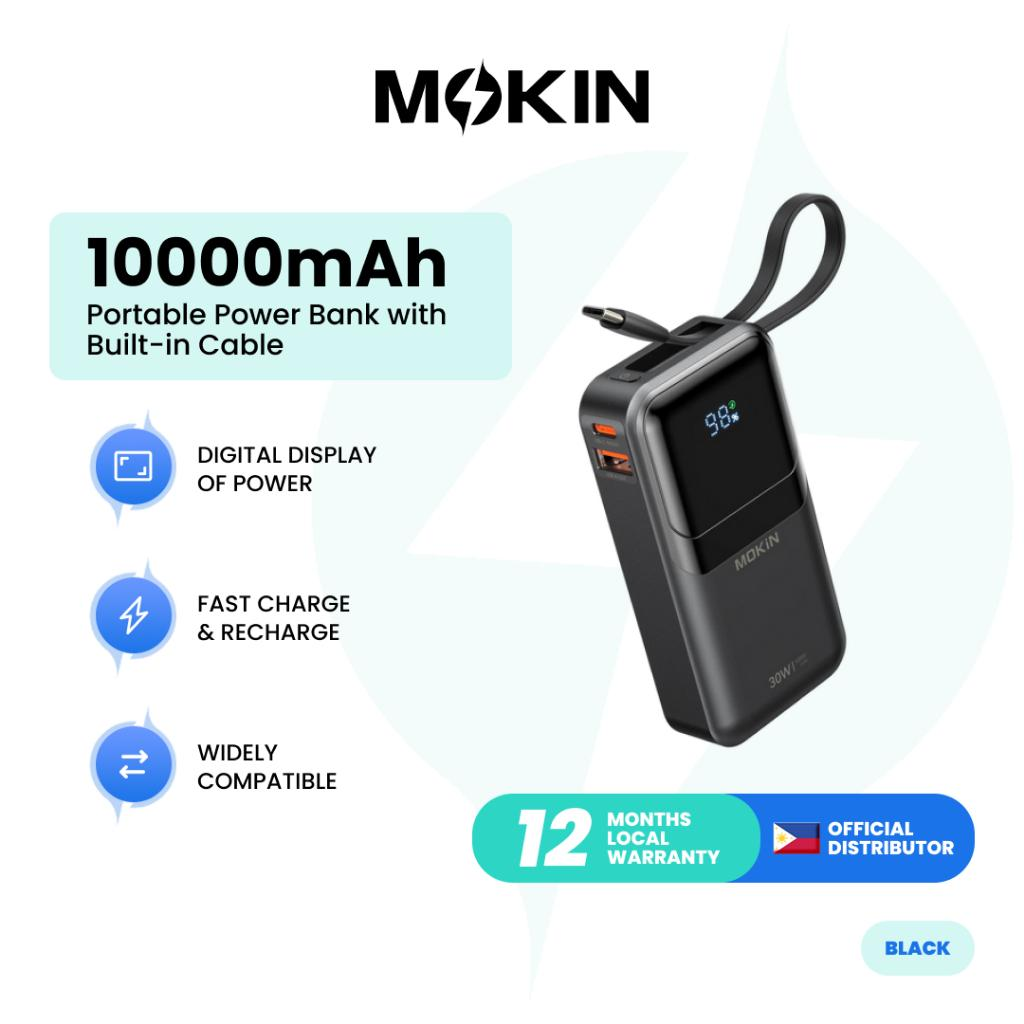
MOKiN 10000mAh Power Bank
Built for travel with an integrated USB-C cable, foldable wall plug, and LCD display for battery information.
Who Is It Best For?
MOKiN products are especially suitable for:
- Remote workers
- Office professionals
- Students
- Digital creators
- Business travelers
- Laptop users needing additional ports
- Anyone building a multi-monitor workstation
If your laptop only has USB-C ports, adding a docking station can dramatically improve your workspace without requiring permanent hardware upgrades.
Tips Before Buying
Before choosing a docking station, consider these important factors.
1. Check USB-C Compatibility
Not every USB-C port supports video output. Many MOKiN docking stations require a Thunderbolt or full-featured USB-C port. Always verify your laptop specifications first.
2. Count Your Required Ports
Think about how many monitors, USB devices, memory cards, or Ethernet connections you use daily.
3. Understand Windows vs macOS
Windows supports MST on compatible hardware, allowing some MOKiN products to run multiple extended displays. macOS has different limitations, so monitor support varies by model.
4. Choose Enough Charging Power
If you charge your laptop through the dock, pairing it with an appropriate high-wattage USB-C charger will deliver the best performance.
Frequently Asked Questions
Does MOKiN work with a MacBook?
Yes. Many products support MacBook models with compatible USB-C or Thunderbolt ports. However, multi-display capabilities differ between Windows and macOS.
Do MOKiN docking stations require drivers?
Many USB-C hubs and docking stations are designed for plug-and-play operation without additional software.
Can I charge my laptop while using the dock?
Yes. Many docking stations support USB-C Power Delivery up to 100W input while simultaneously connecting peripherals.
Does MOKiN sell products besides docking stations?
Yes. The product lineup also includes USB-C hubs, GaN chargers, power banks, MST hubs, and adapters.
What warranty does MOKiN provide?
The official store offers a 12-month warranty along with a 30-day money-back guarantee and customer support.
Final Thoughts
MOKiN has built a product lineup that focuses on solving everyday connectivity problems rather than offering one-size-fits-all accessories.
Its catalog covers everything from compact USB-C hubs for travel to feature-rich docking stations for professional workspaces. Combined with fast charging solutions, power banks, and practical accessories, the brand provides flexible options for users with different needs and budgets.
If you’re looking for a dependable way to expand your laptop’s capabilities without adding unnecessary complexity, MOKiN is worth considering. Just remember to verify your device’s USB-C compatibility and choose a model that matches your daily workflow.
Ready to Upgrade Your Workspace?
Discover the latest MOKiN deals, compare docking stations, hubs, chargers, and power banks, and choose the accessory that best fits your workflow before placing your order.
- ✅ 10% Off Coupon
- ✅ Flash Sale Up to 70% on selected products
- ✅ Free Shipping on U.S. orders over $30